
How to Request Reimbursement for Lost FBA Inventory

Sometimes when sending a shipment into the Amazon FBA warehouse, inventory gets lost. It sounds surprising, but it’s not uncommon. When a shipment closes and units are missing, you can request reimbursement to get your money back for those lost items.
Amazon won’t directly notify the seller if this happens, so it’s important to check on the status of your shipments after sending.
Requesting reimbursement for lost FBA inventory is easy and painless if you know where to check. In this post, we’ll show you how.
What is Amazon Inventory Reimbursement?
Amazon reimbursement is compensation that Amazon gives to FBA sellers for lost or damaged inventory.
If a product is damaged or fails to reach the Amazon warehouse and Amazon doesn’t notify the seller, taking money for all the units, then the seller can claim reimbursement, which will help them recover the money that Amazon owes them.
Types of Reimbursement Claims
An FBA Seller can claim reimbursements in the following cases:
1. Amazon FBA Shipment to Amazon claims
When units are lost during receiving or transit in the Amazon warehouse. This is the one we’ll be focusing on today.
2. Fulfillment center operations claims
Inventory is damaged in the Amazon warehouse.
3. Customer return claims
When a buyer returns any item, Amazon does not reimburse it or add it to the sellable inventory.
4. Removal claims
When an FBA seller requests that their inventory be sent back to them, they do not receive all units.
How to request reimbursement for lost inventory in an FBA Shipment
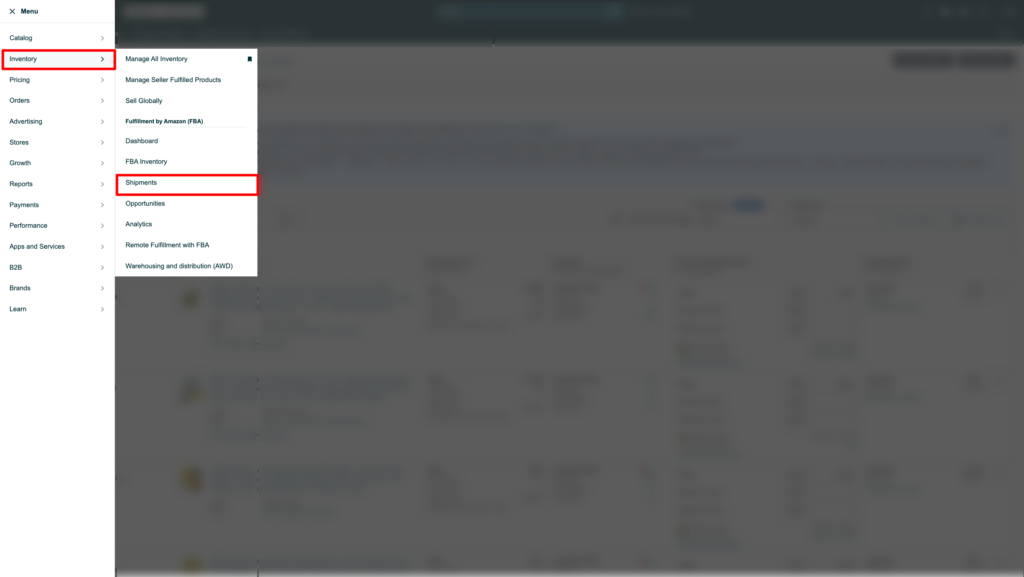
1. Log in to your Amazon Seller Central account. Click on the hamburger menu (3 horizontal lines) on the top left sidebar. From the menu, select Inventory and then select Shipments.
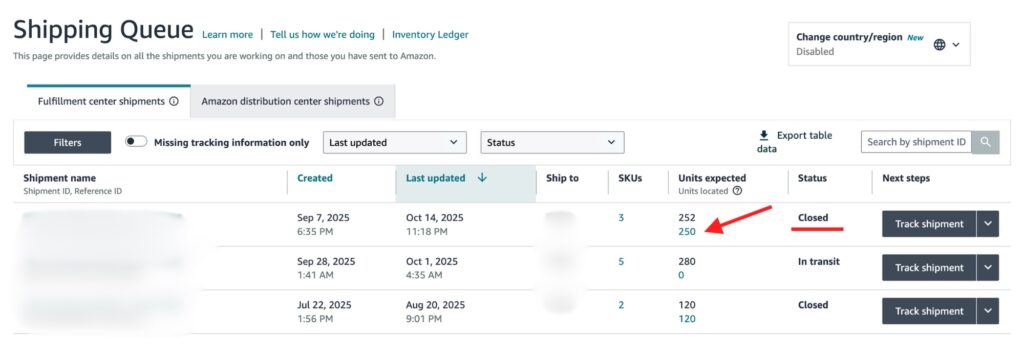
2. The Shipments dashboard will open. Find any discrepancies in the closed shipments. In the example below you can see that while Amazon was expecting 252 units, they only located 250. Click on that shipment to go to its details.
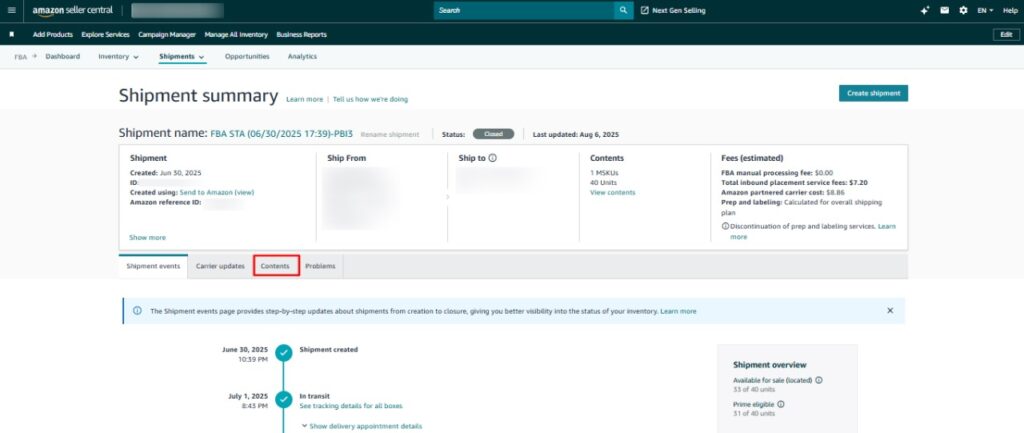
3. Click on Contents from the menu bar to view the contents of the shipment
4. Find the units that have discrepancies in the shipment. In the screenshot below, you can see the discrepancy of -5, meaning 5 units of that ASIN were not located.
- Select Research Missing Units from the drop-down menu under Status column.
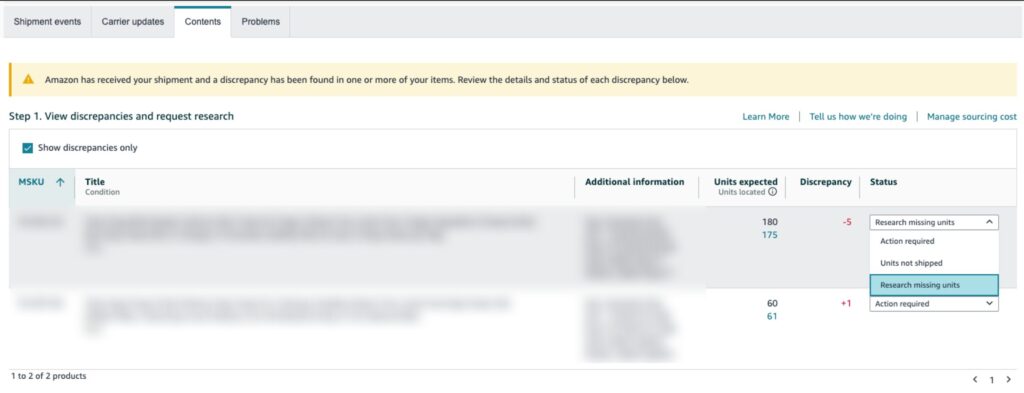
5. To claim reimbursement, scroll down and upload documents for proof of inventory ownership.
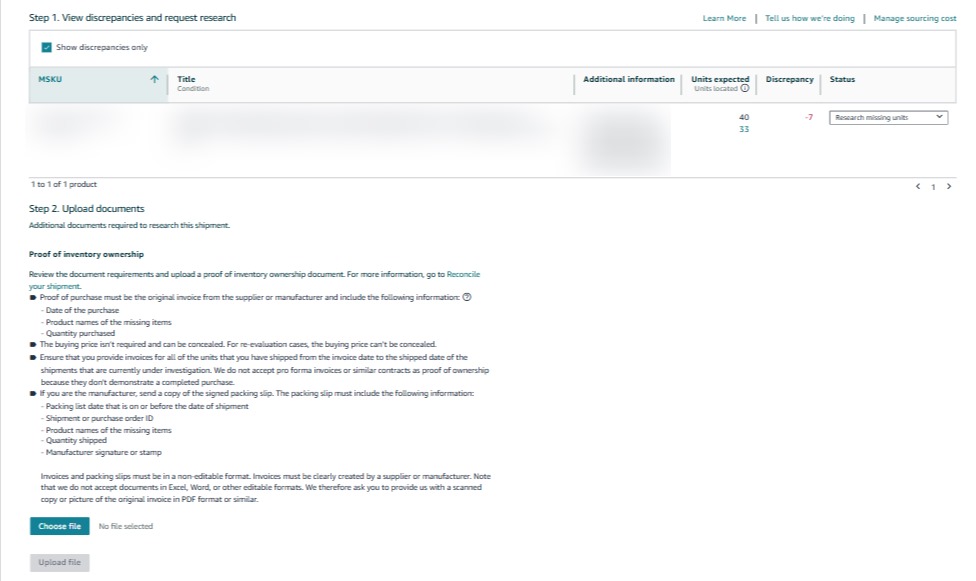
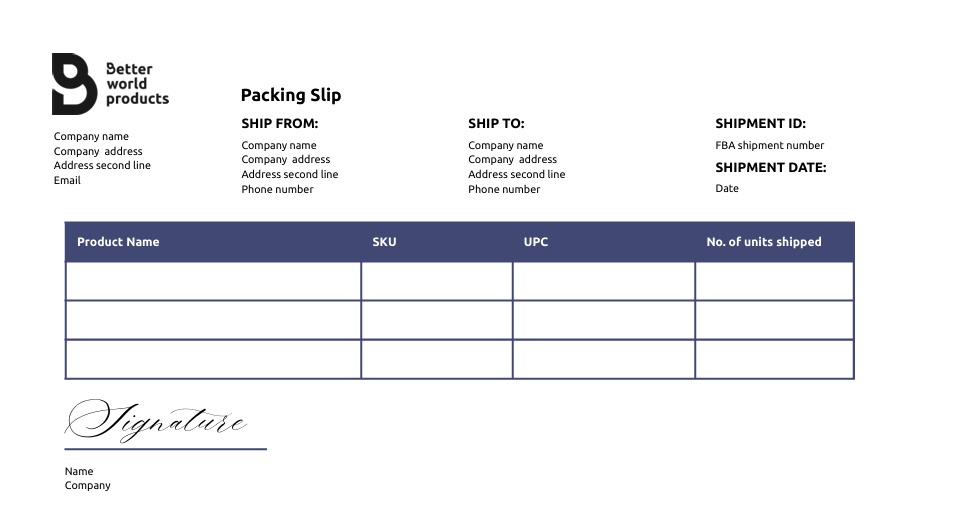
6. For manufacturers, attach a signed packaging slip in an un-editable format with the following information:
- Shipment or purchase order ID
- Product names of the missing items
- Quantity shipped
- Manufacturer signature or stamp
Or, upload the original invoice from the supplier or manufacturer, and it must include:
- Date of purchase
- Product names of missing item
- Quantity Purchased
The buying price is not needed in many cases unless it’s a re-evaluation case.
Sellers must provide invoices for all the units shipped from the invoice date up to shipment date, pro forma invoices or contracts are not accepted as proof of inventory ownership.
7. In the final step, include a note explaining the issue with any additional information, and file the request.
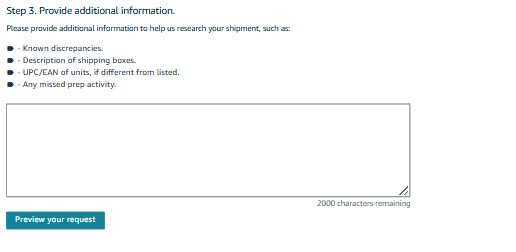
After taking these steps Amazon will automatically open a case and provide the case ID. You can monitor the replies in your case lobby. It usually takes about 3 or 4 days to receive an answer.


